
RustyKeypad: A Smart Keypad Library for Arduino

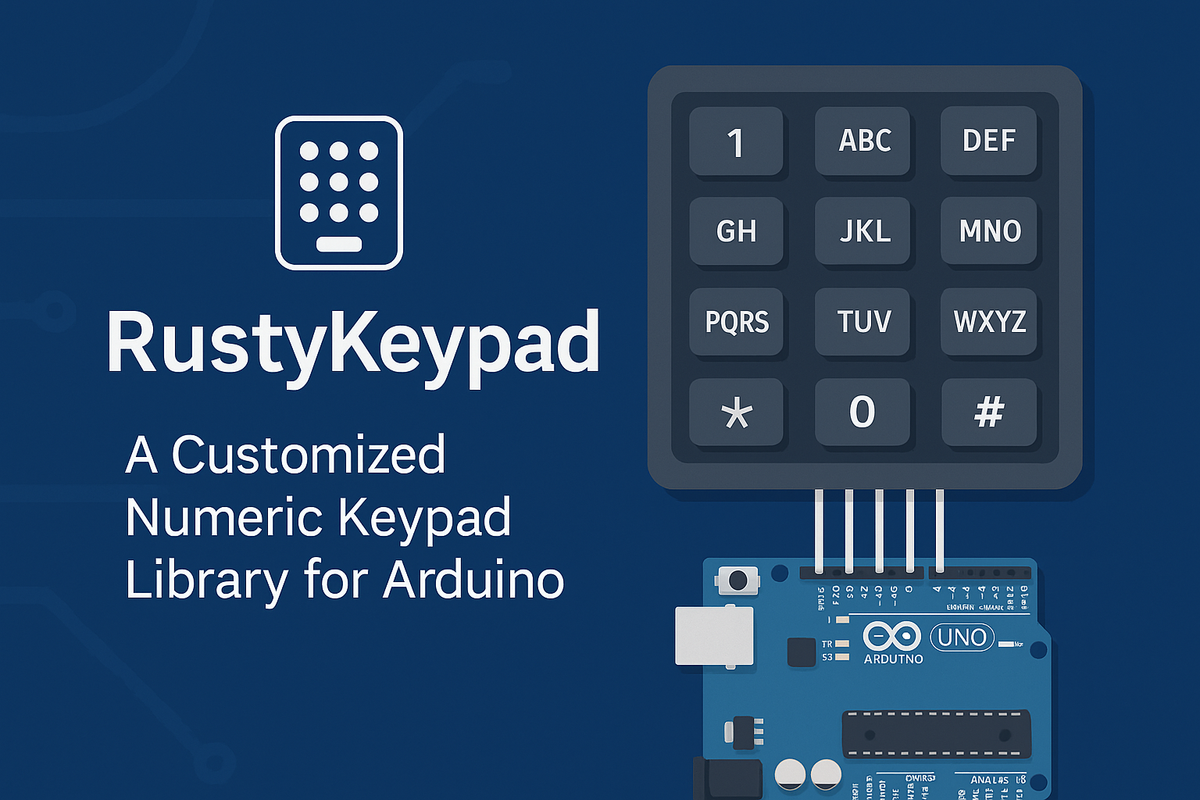
Author: Aras Taşkıran
Project: RustyKeypad - GitHub
License: GPL-3.0
Categories: Arduino, C++, Embedded Systems, DIY
🔹 Introduction
In many Arduino projects, numeric keypads are pretty limited — you press a key and read a single character. Real-world needs can be a bit more involved. If you want to enter text, type a password, or define multi-key gestures, the classic Keypad libraries quickly fall short.
This is where RustyKeypad steps in.
RustyKeypad brings T9-like text input, multi-key combinations, long-press detection, delete/backspace, and enter listeners to elevate the standard keypad experience.
🔹 What Is RustyKeypad?
RustyKeypad is a C++ keypad management library for Arduino.
Unlike standard keypad libraries that only detect key presses, RustyKeypad converts key events into text input and exposes them through listener-style callbacks, building a small event-driven UI on top of your keypad.
In short:
- Supports T9-style character entry.
- Detects long presses and simultaneous/multi-key input.
- Routes text-change, Enter, and Delete events to listeners.
- Provides its own reset/disable and event management mechanisms.
🔹 Architecture Overview
RustyKeypad is built around an event-driven design.
On each scan cycle, it monitors the keypad matrix and fires events such as TextChange, Enter, Delete, or LongPress depending on key states and timing.
Core API surface:
| Function | Description |
|---|---|
keyboardSetup(rows, cols, pins) |
Configures the keypad matrix. |
addTextChangeListener(callback) |
Called whenever the text value changes. |
addEnterListener(callback) |
Called when the Enter key is pressed. |
addDeleteListener(callback) |
Called when the Delete/Backspace key is pressed. |
addLongPressListener(callback) |
Fired on long-press detection. |
disable() |
Disables all keys (global inhibit). |
reset() |
Clears buffers and event handlers to a clean state. |
Thanks to this design, RustyKeypad acts like a tiny UI framework — your keypad becomes an interactive input surface, not just a bunch of buttons.
Document
For Detailed Information See v1.0.4 Document.
👉 https://rustykeypad.arastaskiran.com/ 👈
🔹 Usage Example
The following example shows a minimal setup for RustyKeypad:
#include <rusty_keypad.h>


void onTextChange(String text) {
    Serial.print("Text changed: ");
    Serial.println(text);
}

void onEnter() {
    Serial.println("Enter pressed!");
}

void multipleKeys(String text)
{
   Serial.println(text);
}

void setup() {
    Serial.begin(9600);
    RustyKeypad::addTextChangeListener(onTextChange);
    RustyKeypad::addEnterListener(onEnter);
    RustyKeypad::setEnterKey('#');
    RustyKeypad::useDeleteKey('*');
    RustyKeypad::setType(RKP_T9);
    RustyKeypad::enableBuzzer(9, 10UL);
    RustyKeypad::enable();
}

void loop() {
    RustyKeypad::scan();
}
If you want to customize the keyboard layout.
setup(){

......


     #define MAX_KEYPAD_MATRIX_SIZE 5
     const char *map[MAX_KEYPAD_MATRIX_SIZE][MAX_KEYPAD_MATRIX_SIZE] = {
          {"1.,?!'\"-()@/:_", "2ABCabc", "3DEFdef"},
          {"4GHIghiİ", "5JKLjkl", "6MNOmnoÖö"},
          {"7PQRSpqrsŞş", "8TUVtuvÜü", "9WXYZwxyz"},
          {"*", "0 +", "#"},
     };


     uint8_t rows[MAX_KEYPAD_MATRIX_SIZE] = {2U, 3U, 4U, 5U};
     uint8_t cols[MAX_KEYPAD_MATRIX_SIZE] = {6U, 7U, 8U};

     /**
     * @brief Configures the keypad matrix and associated pins.
     *
     * This static function sets up the keypad matrix by specifying the layout, row and column pins,
     * and the operating mode for the input pins. It initializes the keypad based on the provided parameters.
     *
     * @param map          A 2D array representing the keypad layout. Each entry in the array corresponds
     *                     to a key or a set of keys in the keypad matrix.
     * @param row_pins     An array of GPIO pins assigned to the rows of the keypad matrix.
     * @param col_pins     An array of GPIO pins assigned to the columns of the keypad matrix.
     * @param row          The number of rows in the keypad matrix.
     * @param col          The number of columns in the keypad matrix.
     * @param mode         The input mode for the GPIO pins (default is INPUT_PULLUP). This determines
     *                     the electrical state of the pins when not actively driven.

     */
      RustyKeypad::keyboardSetup(
          map,
          rows,
          cols,
          (uint8_t)4,
          (uint8_t)3,
          INPUT_PULLUP
     );

......

}
In this example:
- We use a 3x4 keypad matrix.
scan()is called on everyloop()to poll key states.onTextChange()is triggered on every text update.onEnter()runs when the Enter key is pressed.
With T9-style entry, multiple letters can be cycled on the same key (e.g., pressing 2 repeatedly to choose A, B, or C).
| DEMO | |
|---|---|
 |
 |
🔹 Development Notes
This project was built to provide human-friendly keypad input for Arduino applications that need password entry, text input, or interactive device menus.
During development, the following areas were key:
- Optimizing scan cadence and debounce behavior,
- Reliable handling of multi-key and long-press interactions,
- Balancing RAM use and performance for smaller MCUs.
RustyKeypad is written in C++ and tested on boards such as Arduino Nano, UNO, and ESP8266.
🔹 Highlights
- ✅ T9-like smart text entry
- ✅ Multi-key and long-press support
- ✅ Event-listener architecture (TextChange, Enter, Delete, LongPress)
- ✅ Lightweight and portable
- ✅ Open source under GPL-3.0
🔹 Contributing
RustyKeypad is open source and welcomes contributions.
Code and examples live on GitHub:
Issues, feature requests, documentation improvements, and pull requests are appreciated.
🔹 Conclusion
RustyKeypad gives Arduino projects a smarter text input capability.
Whether you’re building a PIN-locked door, a settings menu, or a data entry interface, RustyKeypad is designed to make keypad input more natural and powerful.
🔗 Links
- GitHub: https://github.com/arastaskiran/RustyKeypad
- PlatformIO: https://registry.platformio.org/libraries/arastaskiran/RustyKeypad
- Arduino: https://docs.arduino.cc/libraries/rustykeypad/
- License: GPL-3.0
- Author: Aras Taşkıran